

OBD-II Code Library
OBD-II Code Lookup Library
Browse 226 diagnostic trouble code guides with meanings, symptoms, causes, repair costs, and related internal links.
How to Use the OBD-II Code Library
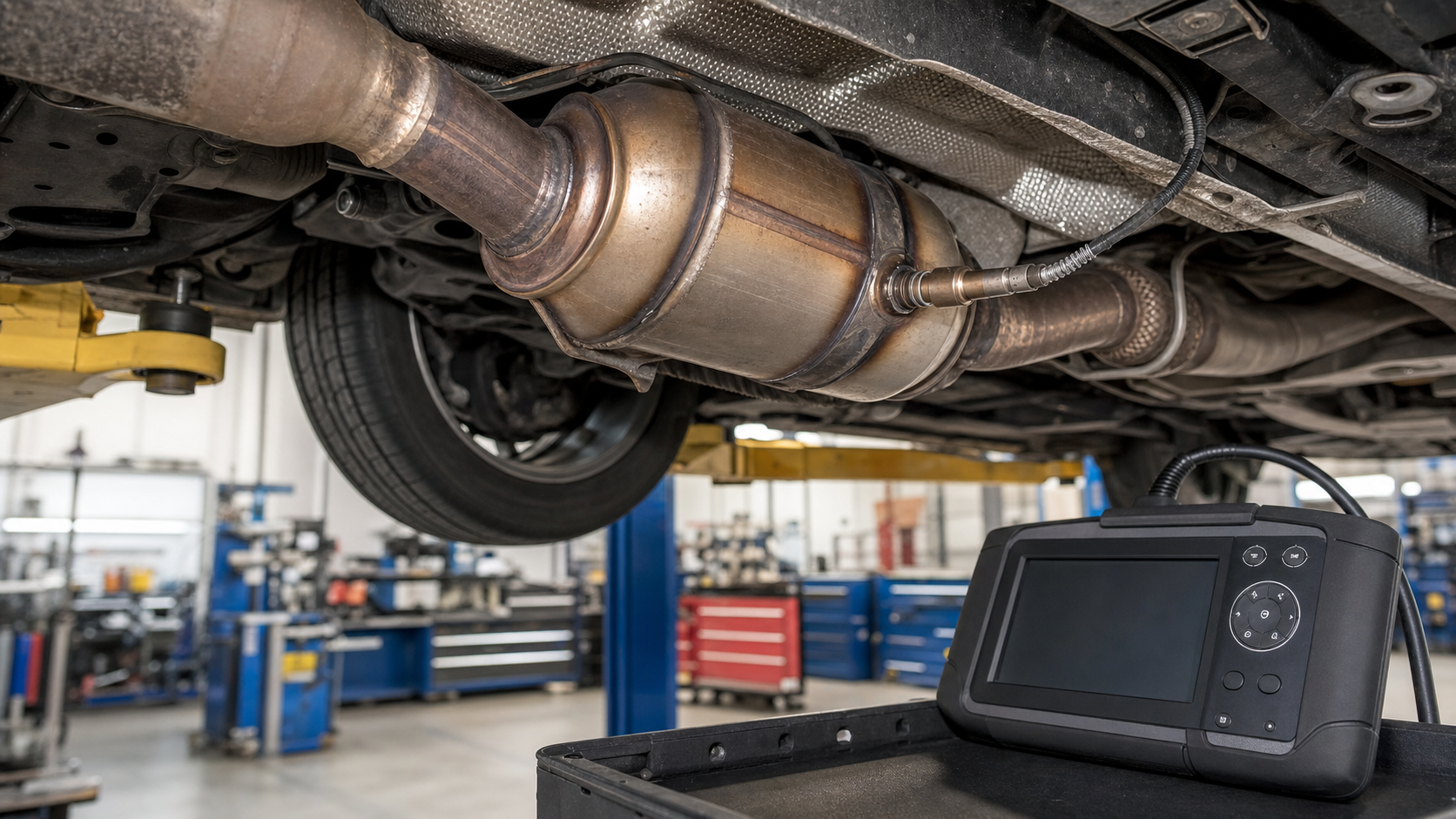
The code library is built for diagnosis-first reading. Start with the exact code, then compare meaning, symptoms, causes, safety priority, repair cost, and related codes. A code such as P0420, P0171, or P0300 is not a final parts instruction; it is a failed test result that needs context from freeze-frame data and vehicle behavior.
Open the system category when several codes appear together. Fuel trim, misfire, voltage, communication, and transmission codes can interact, and the first failed system often makes later codes easier to understand. Save the scan report before clearing anything so each guide can be compared against real evidence.
How to Use the OBD-II Code Library Evidence to Keep
Keep the first scan result, freeze-frame screen, mileage, symptoms, recent repairs, and the date the warning light appeared. This information makes the how to use the obd-ii code library section more useful because it lets you compare the page with the vehicle instead of reading the code name in isolation.
Next Step After How to Use the OBD-II Code Library
Move from this how to use the obd-ii code library page to a specific code, symptom, cost, or make page. Internal links are intentionally placed so you can follow the diagnostic path without returning to search results for every question.
How to Use the OBD-II Code Library Practical Workflow
Use the how to use the obd-ii code library directory as a map, then narrow the question. A good workflow starts with the most specific evidence available, saves the scan report, compares symptoms, checks the system category, and opens the individual guide that matches the code or repair decision. This prevents a broad directory page from becoming a vague answer.
When several how to use the obd-ii code library internal links look relevant, open the page that describes the first failed condition. Misfire, voltage, fuel trim, and communication faults often create secondary readings, so the best next click is not always the code with the most expensive part. Follow the path that explains why the vehicle set the warning light.
After reading the how to use the obd-ii code library directory, write down one next action: inspect a visible item, save more scan data, compare a symptom page, estimate repair cost, or schedule professional diagnosis. The site is designed to move from search intent into a concrete repair decision.
The how to use the obd-ii code library directory is not a padded landing page; it is a navigation hub. Its job is to show the topic map, expose useful internal links, and help the reader choose a more specific guide with enough confidence to keep moving.
For reader usefulness, this also gives the how to use the obd-ii code library directory a clear purpose: it explains the section, routes users to detailed pages, and reinforces the relationship between codes, symptoms, costs, makes, and system categories.
Fuel and Air Metering
System guide P0087
Fuel Rail/System Pressure Too Low
P0088
Fuel Rail/System Pressure Too High
P0090
Fuel Pressure Regulator 1 Control Circuit
P0100
Mass or Volume Air Flow Sensor Circuit Malfunction
P0101
Mass or Volume Air Flow Sensor Circuit Range/Performance Problem
P0102
Mass or Volume Air Flow Sensor Circuit Low Input
P0103
Mass or Volume Air Flow Sensor Circuit High Input
P0104
Mass or Volume Air Flow Sensor Circuit Intermittent
P0105
Manifold Absolute Pressure/Barometric Pressure Sensor Circuit Malfunction
P0106
Manifold Absolute Pressure/Barometric Pressure Sensor Circuit Range/Performance Problem
P0107
Manifold Absolute Pressure/Barometric Pressure Sensor Circuit Low Input
P0108
Manifold Absolute Pressure/Barometric Pressure Sensor Circuit High Input
P0109
Manifold Absolute Pressure/Barometric Pressure Sensor Circuit Intermittent
P0110
Intake Air Temperature Sensor 1 Circuit Malfunction
P0111
Intake Air Temperature Sensor 1 Circuit Range/Performance Problem
P0112
Intake Air Temperature Sensor 1 Circuit Low Input
P0113
Intake Air Temperature Sensor 1 Circuit High Input
P0114
Intake Air Temperature Sensor 1 Circuit Intermittent
P0171
System Too Lean (Bank 1)
P0172
System Too Rich (Bank 1)
P0174
System Too Lean (Bank 2)
P0175
System Too Rich (Bank 2)
P0180
Fuel Temperature Sensor A Circuit Malfunction
P0181
Fuel Temperature Sensor A Circuit Range/Performance Problem
P0182
Fuel Temperature Sensor A Circuit Low Input
P0183
Fuel Temperature Sensor A Circuit High Input
P0184
Fuel Temperature Sensor A Circuit Intermittent
P0190
Fuel Rail Pressure Sensor Circuit Malfunction
P0191
Fuel Rail Pressure Sensor Circuit Range/Performance Problem
P0192
Fuel Rail Pressure Sensor Circuit Low Input
P0193
Fuel Rail Pressure Sensor Circuit High Input
P0194
Fuel Rail Pressure Sensor Circuit Intermittent
P0200
Injector Circuit/Open
P0201
Injector Circuit/Open - Cylinder 1
P0202
Injector Circuit/Open - Cylinder 2
P0203
Injector Circuit/Open - Cylinder 3
P0204
Injector Circuit/Open - Cylinder 4
P0205
Injector Circuit/Open - Cylinder 5
P0206
Injector Circuit/Open - Cylinder 6
P0207
Injector Circuit/Open - Cylinder 7
P0208
Injector Circuit/Open - Cylinder 8
P0209
Injector Circuit/Open - Cylinder 9
P0210
Injector Circuit/Open - Cylinder 10
P0211
Injector Circuit/Open - Cylinder 11
P0212
Injector Circuit/Open - Cylinder 12
P0230
Fuel Pump Primary Circuit
P0234
Turbocharger/Supercharger Overboost Condition
P0299
Turbocharger/Supercharger Underboost
P0460
Fuel Level Sensor Circuit Malfunction
P0461
Fuel Level Sensor Circuit Range/Performance Problem
P0462
Fuel Level Sensor Circuit Low Input
P0463
Fuel Level Sensor Circuit High Input
P0464
Fuel Level Sensor Circuit Intermittent
P0505
Idle Control System Malfunction
P0506
Idle Control System RPM Lower Than Expected
P0507
Idle Control System RPM Higher Than Expected
P0087
Fuel Rail/System Pressure Too Low
P0088
Fuel Rail/System Pressure Too High
P0090
Fuel Pressure Regulator 1 Control Circuit
P0100
Mass or Volume Air Flow Sensor Circuit Malfunction
P0101
Mass or Volume Air Flow Sensor Circuit Range/Performance Problem
P0102
Mass or Volume Air Flow Sensor Circuit Low Input
P0103
Mass or Volume Air Flow Sensor Circuit High Input
P0104
Mass or Volume Air Flow Sensor Circuit Intermittent
P0105
Manifold Absolute Pressure/Barometric Pressure Sensor Circuit Malfunction
P0106
Manifold Absolute Pressure/Barometric Pressure Sensor Circuit Range/Performance Problem
P0107
Manifold Absolute Pressure/Barometric Pressure Sensor Circuit Low Input
P0108
Manifold Absolute Pressure/Barometric Pressure Sensor Circuit High Input
P0109
Manifold Absolute Pressure/Barometric Pressure Sensor Circuit Intermittent
P0110
Intake Air Temperature Sensor 1 Circuit Malfunction
P0111
Intake Air Temperature Sensor 1 Circuit Range/Performance Problem
P0112
Intake Air Temperature Sensor 1 Circuit Low Input
P0113
Intake Air Temperature Sensor 1 Circuit High Input
P0114
Intake Air Temperature Sensor 1 Circuit Intermittent
P0171
System Too Lean (Bank 1)
P0172
System Too Rich (Bank 1)
P0174
System Too Lean (Bank 2)
P0175
System Too Rich (Bank 2)
P0180
Fuel Temperature Sensor A Circuit Malfunction
P0181
Fuel Temperature Sensor A Circuit Range/Performance Problem
P0182
Fuel Temperature Sensor A Circuit Low Input
P0183
Fuel Temperature Sensor A Circuit High Input
P0184
Fuel Temperature Sensor A Circuit Intermittent
P0190
Fuel Rail Pressure Sensor Circuit Malfunction
P0191
Fuel Rail Pressure Sensor Circuit Range/Performance Problem
P0192
Fuel Rail Pressure Sensor Circuit Low Input
P0193
Fuel Rail Pressure Sensor Circuit High Input
P0194
Fuel Rail Pressure Sensor Circuit Intermittent
P0200
Injector Circuit/Open
P0201
Injector Circuit/Open - Cylinder 1
P0202
Injector Circuit/Open - Cylinder 2
P0203
Injector Circuit/Open - Cylinder 3
P0204
Injector Circuit/Open - Cylinder 4
P0205
Injector Circuit/Open - Cylinder 5
P0206
Injector Circuit/Open - Cylinder 6
P0207
Injector Circuit/Open - Cylinder 7
P0208
Injector Circuit/Open - Cylinder 8
P0209
Injector Circuit/Open - Cylinder 9
P0210
Injector Circuit/Open - Cylinder 10
P0211
Injector Circuit/Open - Cylinder 11
P0212
Injector Circuit/Open - Cylinder 12
P0230
Fuel Pump Primary Circuit
P0234
Turbocharger/Supercharger Overboost Condition
P0299
Turbocharger/Supercharger Underboost
P0460
Fuel Level Sensor Circuit Malfunction
P0461
Fuel Level Sensor Circuit Range/Performance Problem
P0462
Fuel Level Sensor Circuit Low Input
P0463
Fuel Level Sensor Circuit High Input
P0464
Fuel Level Sensor Circuit Intermittent
P0505
Idle Control System Malfunction
P0506
Idle Control System RPM Lower Than Expected
P0507
Idle Control System RPM Higher Than Expected
Ignition and Misfire
System guide P0301
Cylinder 1 Misfire Detected
P0302
Cylinder 2 Misfire Detected
P0303
Cylinder 3 Misfire Detected
P0304
Cylinder 4 Misfire Detected
P0305
Cylinder 5 Misfire Detected
P0306
Cylinder 6 Misfire Detected
P0307
Cylinder 7 Misfire Detected
P0308
Cylinder 8 Misfire Detected
P0309
Cylinder 9 Misfire Detected
P0310
Cylinder 10 Misfire Detected
P0311
Cylinder 11 Misfire Detected
P0312
Cylinder 12 Misfire Detected
P0316
Engine Misfire Detected on Startup
P0351
Ignition Coil A Primary/Secondary Circuit
P0352
Ignition Coil B Primary/Secondary Circuit
P0353
Ignition Coil C Primary/Secondary Circuit
P0354
Ignition Coil D Primary/Secondary Circuit
P0355
Ignition Coil E Primary/Secondary Circuit
P0356
Ignition Coil F Primary/Secondary Circuit
P0357
Ignition Coil G Primary/Secondary Circuit
P0358
Ignition Coil H Primary/Secondary Circuit
P0359
Ignition Coil I Primary/Secondary Circuit
P0360
Ignition Coil J Primary/Secondary Circuit
P0361
Ignition Coil K Primary/Secondary Circuit
P0362
Ignition Coil L Primary/Secondary Circuit
P0301
Cylinder 1 Misfire Detected
P0302
Cylinder 2 Misfire Detected
P0303
Cylinder 3 Misfire Detected
P0304
Cylinder 4 Misfire Detected
P0305
Cylinder 5 Misfire Detected
P0306
Cylinder 6 Misfire Detected
P0307
Cylinder 7 Misfire Detected
P0308
Cylinder 8 Misfire Detected
P0309
Cylinder 9 Misfire Detected
P0310
Cylinder 10 Misfire Detected
P0311
Cylinder 11 Misfire Detected
P0312
Cylinder 12 Misfire Detected
P0316
Engine Misfire Detected on Startup
P0351
Ignition Coil A Primary/Secondary Circuit
P0352
Ignition Coil B Primary/Secondary Circuit
P0353
Ignition Coil C Primary/Secondary Circuit
P0354
Ignition Coil D Primary/Secondary Circuit
P0355
Ignition Coil E Primary/Secondary Circuit
P0356
Ignition Coil F Primary/Secondary Circuit
P0357
Ignition Coil G Primary/Secondary Circuit
P0358
Ignition Coil H Primary/Secondary Circuit
P0359
Ignition Coil I Primary/Secondary Circuit
P0360
Ignition Coil J Primary/Secondary Circuit
P0361
Ignition Coil K Primary/Secondary Circuit
P0362
Ignition Coil L Primary/Secondary Circuit
Emissions and EVAP
System guide P0401
Exhaust Gas Recirculation Flow Insufficient Flow Detected
P0402
Exhaust Gas Recirculation Flow Excessive Flow Detected
P0403
Exhaust Gas Recirculation Flow Control Circuit
P0404
Exhaust Gas Recirculation Flow Control Circuit Range/Performance
P0405
Exhaust Gas Recirculation Flow Sensor A Circuit Low
P0406
Exhaust Gas Recirculation Flow Sensor A Circuit High
P0407
Exhaust Gas Recirculation Flow Sensor B Circuit Low
P0408
Exhaust Gas Recirculation Flow Sensor B Circuit High
P0409
Exhaust Gas Recirculation Flow Control Circuit Malfunction
P0410
Secondary Air Injection System Malfunction
P0411
Secondary Air Injection System Incorrect Flow Detected
P0418
Secondary Air Injection System Relay A Circuit
P0420
Catalyst System Efficiency Below Threshold (Bank 1)
P0421
Warm Up Catalyst Efficiency Below Threshold (Bank 1)
P0422
Main Catalyst Efficiency Below Threshold (Bank 1)
P0430
Catalyst System Efficiency Below Threshold (Bank 2)
P0431
Warm Up Catalyst Efficiency Below Threshold (Bank 2)
P0432
Main Catalyst Efficiency Below Threshold (Bank 2)
P0440
EVAP System Malfunction
P0441
EVAP System Incorrect Purge Flow
P0442
EVAP System Leak Detected (Small Leak)
P0443
EVAP Purge Control Valve Circuit
P0446
EVAP Vent Control Circuit
P0455
EVAP System Leak Detected (Large Leak)
P0456
EVAP System Leak Detected (Very Small Leak)
P0457
EVAP System Leak Detected (Fuel Cap Loose/Off)
P0496
EVAP Flow During a Non-Purge Condition
P0401
Exhaust Gas Recirculation Flow Insufficient Flow Detected
P0402
Exhaust Gas Recirculation Flow Excessive Flow Detected
P0403
Exhaust Gas Recirculation Flow Control Circuit
P0404
Exhaust Gas Recirculation Flow Control Circuit Range/Performance
P0405
Exhaust Gas Recirculation Flow Sensor A Circuit Low
P0406
Exhaust Gas Recirculation Flow Sensor A Circuit High
P0407
Exhaust Gas Recirculation Flow Sensor B Circuit Low
P0408
Exhaust Gas Recirculation Flow Sensor B Circuit High
P0409
Exhaust Gas Recirculation Flow Control Circuit Malfunction
P0410
Secondary Air Injection System Malfunction
P0411
Secondary Air Injection System Incorrect Flow Detected
P0418
Secondary Air Injection System Relay A Circuit
P0420
Catalyst System Efficiency Below Threshold (Bank 1)
P0421
Warm Up Catalyst Efficiency Below Threshold (Bank 1)
P0422
Main Catalyst Efficiency Below Threshold (Bank 1)
P0430
Catalyst System Efficiency Below Threshold (Bank 2)
P0431
Warm Up Catalyst Efficiency Below Threshold (Bank 2)
P0432
Main Catalyst Efficiency Below Threshold (Bank 2)
P0440
EVAP System Malfunction
P0441
EVAP System Incorrect Purge Flow
P0442
EVAP System Leak Detected (Small Leak)
P0443
EVAP Purge Control Valve Circuit
P0446
EVAP Vent Control Circuit
P0455
EVAP System Leak Detected (Large Leak)
P0456
EVAP System Leak Detected (Very Small Leak)
P0457
EVAP System Leak Detected (Fuel Cap Loose/Off)
P0496
EVAP Flow During a Non-Purge Condition
Transmission
System guide P0705
Transmission Range Sensor Circuit Malfunction
P0710
Transmission Fluid Temperature Sensor Circuit
P0715
Input/Turbine Speed Sensor Circuit
P0720
Output Speed Sensor Circuit
P0725
Engine Speed Input Circuit
P0730
Incorrect Gear Ratio
P0731
Gear 1 Incorrect Ratio
P0732
Gear 2 Incorrect Ratio
P0733
Gear 3 Incorrect Ratio
P0734
Gear 4 Incorrect Ratio
P0735
Gear 5 Incorrect Ratio
P0736
Reverse Incorrect Ratio
P0740
Torque Converter Clutch Circuit Malfunction
P0741
Torque Converter Clutch Performance or Stuck Off
P0742
Torque Converter Clutch Circuit Stuck On
P0750
Shift Solenoid A Malfunction
P0755
Shift Solenoid B Malfunction
P0760
Shift Solenoid C Malfunction
P0765
Shift Solenoid D Malfunction
P0770
Shift Solenoid E Malfunction
P0705
Transmission Range Sensor Circuit Malfunction
P0710
Transmission Fluid Temperature Sensor Circuit
P0715
Input/Turbine Speed Sensor Circuit
P0720
Output Speed Sensor Circuit
P0725
Engine Speed Input Circuit
P0730
Incorrect Gear Ratio
P0731
Gear 1 Incorrect Ratio
P0732
Gear 2 Incorrect Ratio
P0733
Gear 3 Incorrect Ratio
P0734
Gear 4 Incorrect Ratio
P0735
Gear 5 Incorrect Ratio
P0736
Reverse Incorrect Ratio
P0740
Torque Converter Clutch Circuit Malfunction
P0741
Torque Converter Clutch Performance or Stuck Off
P0742
Torque Converter Clutch Circuit Stuck On
P0750
Shift Solenoid A Malfunction
P0755
Shift Solenoid B Malfunction
P0760
Shift Solenoid C Malfunction
P0765
Shift Solenoid D Malfunction
P0770
Shift Solenoid E Malfunction
Sensor and Circuit
System guide P0011
A Camshaft Position Timing Over-Advanced (Bank 1)
P0012
A Camshaft Position Timing Over-Retarded (Bank 1)
P0013
B Camshaft Position Actuator Circuit (Bank 1)
P0014
B Camshaft Position Timing Over-Advanced (Bank 1)
P0016
Crankshaft/Camshaft Position Correlation (Bank 1 Sensor A)
P0017
Crankshaft/Camshaft Position Correlation (Bank 1 Sensor B)
P0020
A Camshaft Position Actuator Circuit (Bank 2)
P0021
A Camshaft Position Timing Over-Advanced (Bank 2)
P0022
A Camshaft Position Timing Over-Retarded (Bank 2)
P0030
HO2S Heater Control Circuit (Bank 1 Sensor 1)
P0031
HO2S Heater Control Circuit Low (Bank 1 Sensor 1)
P0032
HO2S Heater Control Circuit High (Bank 1 Sensor 1)
P0036
HO2S Heater Control Circuit (Bank 1 Sensor 2)
P0040
O2 Sensor Signals Swapped Bank 1 Sensor 1 / Bank 2 Sensor 1
P0050
HO2S Heater Control Circuit (Bank 2 Sensor 1)
P0073
Ambient Air Temperature Sensor Circuit High
P0115
Engine Coolant Temperature Sensor 1 Circuit Malfunction
P0116
Engine Coolant Temperature Sensor 1 Circuit Range/Performance Problem
P0117
Engine Coolant Temperature Sensor 1 Circuit Low Input
P0118
Engine Coolant Temperature Sensor 1 Circuit High Input
P0119
Engine Coolant Temperature Sensor 1 Circuit Intermittent
P0120
Throttle/Pedal Position Sensor A Circuit Malfunction
P0121
Throttle/Pedal Position Sensor A Circuit Range/Performance Problem
P0122
Throttle/Pedal Position Sensor A Circuit Low Input
P0123
Throttle/Pedal Position Sensor A Circuit High Input
P0124
Throttle/Pedal Position Sensor A Circuit Intermittent
P0125
Insufficient Coolant Temperature for Closed Loop Fuel Control
P0128
Coolant Thermostat Temperature Below Regulating Temperature
P0130
O2 Sensor Circuit (Bank 1 Sensor 1) Malfunction
P0131
O2 Sensor Circuit (Bank 1 Sensor 1) Low Voltage
P0132
O2 Sensor Circuit (Bank 1 Sensor 1) High Voltage
P0133
O2 Sensor Circuit (Bank 1 Sensor 1) Slow Response
P0134
O2 Sensor Circuit (Bank 1 Sensor 1) No Activity Detected
P0135
O2 Sensor Circuit (Bank 1 Sensor 1) Heater Circuit Malfunction
P0136
O2 Sensor Circuit (Bank 1 Sensor 2) Malfunction
P0137
O2 Sensor Circuit (Bank 1 Sensor 2) Low Voltage
P0138
O2 Sensor Circuit (Bank 1 Sensor 2) High Voltage
P0139
O2 Sensor Circuit (Bank 1 Sensor 2) Slow Response
P0140
O2 Sensor Circuit (Bank 1 Sensor 2) No Activity Detected
P0141
O2 Sensor Circuit (Bank 1 Sensor 2) Heater Circuit Malfunction
P0142
O2 Sensor Circuit (Bank 1 Sensor 3) Malfunction
P0143
O2 Sensor Circuit (Bank 1 Sensor 3) Low Voltage
P0144
O2 Sensor Circuit (Bank 1 Sensor 3) High Voltage
P0145
O2 Sensor Circuit (Bank 1 Sensor 3) Slow Response
P0146
O2 Sensor Circuit (Bank 1 Sensor 3) No Activity Detected
P0147
O2 Sensor Circuit (Bank 1 Sensor 3) Heater Circuit Malfunction
P0150
O2 Sensor Circuit (Bank 2 Sensor 1) Malfunction
P0151
O2 Sensor Circuit (Bank 2 Sensor 1) Low Voltage
P0152
O2 Sensor Circuit (Bank 2 Sensor 1) High Voltage
P0153
O2 Sensor Circuit (Bank 2 Sensor 1) Slow Response
P0154
O2 Sensor Circuit (Bank 2 Sensor 1) No Activity Detected
P0155
O2 Sensor Circuit (Bank 2 Sensor 1) Heater Circuit Malfunction
P0156
O2 Sensor Circuit (Bank 2 Sensor 2) Malfunction
P0157
O2 Sensor Circuit (Bank 2 Sensor 2) Low Voltage
P0158
O2 Sensor Circuit (Bank 2 Sensor 2) High Voltage
P0159
O2 Sensor Circuit (Bank 2 Sensor 2) Slow Response
P0160
O2 Sensor Circuit (Bank 2 Sensor 2) No Activity Detected
P0161
O2 Sensor Circuit (Bank 2 Sensor 2) Heater Circuit Malfunction
P0162
O2 Sensor Circuit (Bank 2 Sensor 3) Malfunction
P0163
O2 Sensor Circuit (Bank 2 Sensor 3) Low Voltage
P0164
O2 Sensor Circuit (Bank 2 Sensor 3) High Voltage
P0165
O2 Sensor Circuit (Bank 2 Sensor 3) Slow Response
P0166
O2 Sensor Circuit (Bank 2 Sensor 3) No Activity Detected
P0167
O2 Sensor Circuit (Bank 2 Sensor 3) Heater Circuit Malfunction
P0325
Knock Sensor 1 Circuit (Bank 1)
P0327
Knock Sensor 1 Circuit Low Input (Bank 1)
P0328
Knock Sensor 1 Circuit High Input (Bank 1)
P0330
Knock Sensor 2 Circuit (Bank 2)
P0334
Knock Sensor 2 Circuit Intermittent (Bank 2)
P0335
Crankshaft Position Sensor A Circuit Malfunction
P0336
Crankshaft Position Sensor A Circuit Range/Performance Problem
P0337
Crankshaft Position Sensor A Circuit Low Input
P0338
Crankshaft Position Sensor A Circuit High Input
P0339
Crankshaft Position Sensor A Circuit Intermittent
P0340
Camshaft Position Sensor A Bank 1 Circuit Malfunction
P0341
Camshaft Position Sensor A Bank 1 Circuit Range/Performance Problem
P0342
Camshaft Position Sensor A Bank 1 Circuit Low Input
P0343
Camshaft Position Sensor A Bank 1 Circuit High Input
P0344
Camshaft Position Sensor A Bank 1 Circuit Intermittent
P0500
Vehicle Speed Sensor Malfunction
P0550
Power Steering Pressure Sensor Circuit
P0551
Power Steering Pressure Sensor Range/Performance
P2135
Throttle/Pedal Position Sensor/Switch A/B Voltage Correlation
P0011
A Camshaft Position Timing Over-Advanced (Bank 1)
P0012
A Camshaft Position Timing Over-Retarded (Bank 1)
P0013
B Camshaft Position Actuator Circuit (Bank 1)
P0014
B Camshaft Position Timing Over-Advanced (Bank 1)
P0016
Crankshaft/Camshaft Position Correlation (Bank 1 Sensor A)
P0017
Crankshaft/Camshaft Position Correlation (Bank 1 Sensor B)
P0020
A Camshaft Position Actuator Circuit (Bank 2)
P0021
A Camshaft Position Timing Over-Advanced (Bank 2)
P0022
A Camshaft Position Timing Over-Retarded (Bank 2)
P0030
HO2S Heater Control Circuit (Bank 1 Sensor 1)
P0031
HO2S Heater Control Circuit Low (Bank 1 Sensor 1)
P0032
HO2S Heater Control Circuit High (Bank 1 Sensor 1)
P0036
HO2S Heater Control Circuit (Bank 1 Sensor 2)
P0040
O2 Sensor Signals Swapped Bank 1 Sensor 1 / Bank 2 Sensor 1
P0050
HO2S Heater Control Circuit (Bank 2 Sensor 1)
P0073
Ambient Air Temperature Sensor Circuit High
P0115
Engine Coolant Temperature Sensor 1 Circuit Malfunction
P0116
Engine Coolant Temperature Sensor 1 Circuit Range/Performance Problem
P0117
Engine Coolant Temperature Sensor 1 Circuit Low Input
P0118
Engine Coolant Temperature Sensor 1 Circuit High Input
P0119
Engine Coolant Temperature Sensor 1 Circuit Intermittent
P0120
Throttle/Pedal Position Sensor A Circuit Malfunction
P0121
Throttle/Pedal Position Sensor A Circuit Range/Performance Problem
P0122
Throttle/Pedal Position Sensor A Circuit Low Input
P0123
Throttle/Pedal Position Sensor A Circuit High Input
P0124
Throttle/Pedal Position Sensor A Circuit Intermittent
P0125
Insufficient Coolant Temperature for Closed Loop Fuel Control
P0128
Coolant Thermostat Temperature Below Regulating Temperature
P0130
O2 Sensor Circuit (Bank 1 Sensor 1) Malfunction
P0131
O2 Sensor Circuit (Bank 1 Sensor 1) Low Voltage
P0132
O2 Sensor Circuit (Bank 1 Sensor 1) High Voltage
P0133
O2 Sensor Circuit (Bank 1 Sensor 1) Slow Response
P0134
O2 Sensor Circuit (Bank 1 Sensor 1) No Activity Detected
P0135
O2 Sensor Circuit (Bank 1 Sensor 1) Heater Circuit Malfunction
P0136
O2 Sensor Circuit (Bank 1 Sensor 2) Malfunction
P0137
O2 Sensor Circuit (Bank 1 Sensor 2) Low Voltage
P0138
O2 Sensor Circuit (Bank 1 Sensor 2) High Voltage
P0139
O2 Sensor Circuit (Bank 1 Sensor 2) Slow Response
P0140
O2 Sensor Circuit (Bank 1 Sensor 2) No Activity Detected
P0141
O2 Sensor Circuit (Bank 1 Sensor 2) Heater Circuit Malfunction
P0142
O2 Sensor Circuit (Bank 1 Sensor 3) Malfunction
P0143
O2 Sensor Circuit (Bank 1 Sensor 3) Low Voltage
P0144
O2 Sensor Circuit (Bank 1 Sensor 3) High Voltage
P0145
O2 Sensor Circuit (Bank 1 Sensor 3) Slow Response
P0146
O2 Sensor Circuit (Bank 1 Sensor 3) No Activity Detected
P0147
O2 Sensor Circuit (Bank 1 Sensor 3) Heater Circuit Malfunction
P0150
O2 Sensor Circuit (Bank 2 Sensor 1) Malfunction
P0151
O2 Sensor Circuit (Bank 2 Sensor 1) Low Voltage
P0152
O2 Sensor Circuit (Bank 2 Sensor 1) High Voltage
P0153
O2 Sensor Circuit (Bank 2 Sensor 1) Slow Response
P0154
O2 Sensor Circuit (Bank 2 Sensor 1) No Activity Detected
P0155
O2 Sensor Circuit (Bank 2 Sensor 1) Heater Circuit Malfunction
P0156
O2 Sensor Circuit (Bank 2 Sensor 2) Malfunction
P0157
O2 Sensor Circuit (Bank 2 Sensor 2) Low Voltage
P0158
O2 Sensor Circuit (Bank 2 Sensor 2) High Voltage
P0159
O2 Sensor Circuit (Bank 2 Sensor 2) Slow Response
P0160
O2 Sensor Circuit (Bank 2 Sensor 2) No Activity Detected
P0161
O2 Sensor Circuit (Bank 2 Sensor 2) Heater Circuit Malfunction
P0162
O2 Sensor Circuit (Bank 2 Sensor 3) Malfunction
P0163
O2 Sensor Circuit (Bank 2 Sensor 3) Low Voltage
P0164
O2 Sensor Circuit (Bank 2 Sensor 3) High Voltage
P0165
O2 Sensor Circuit (Bank 2 Sensor 3) Slow Response
P0166
O2 Sensor Circuit (Bank 2 Sensor 3) No Activity Detected
P0167
O2 Sensor Circuit (Bank 2 Sensor 3) Heater Circuit Malfunction
P0325
Knock Sensor 1 Circuit (Bank 1)
P0327
Knock Sensor 1 Circuit Low Input (Bank 1)
P0328
Knock Sensor 1 Circuit High Input (Bank 1)
P0330
Knock Sensor 2 Circuit (Bank 2)
P0334
Knock Sensor 2 Circuit Intermittent (Bank 2)
P0335
Crankshaft Position Sensor A Circuit Malfunction
P0336
Crankshaft Position Sensor A Circuit Range/Performance Problem
P0337
Crankshaft Position Sensor A Circuit Low Input
P0338
Crankshaft Position Sensor A Circuit High Input
P0339
Crankshaft Position Sensor A Circuit Intermittent
P0340
Camshaft Position Sensor A Bank 1 Circuit Malfunction
P0341
Camshaft Position Sensor A Bank 1 Circuit Range/Performance Problem
P0342
Camshaft Position Sensor A Bank 1 Circuit Low Input
P0343
Camshaft Position Sensor A Bank 1 Circuit High Input
P0344
Camshaft Position Sensor A Bank 1 Circuit Intermittent
P0500
Vehicle Speed Sensor Malfunction
P0550
Power Steering Pressure Sensor Circuit
P0551
Power Steering Pressure Sensor Range/Performance
P2135
Throttle/Pedal Position Sensor/Switch A/B Voltage Correlation
Control Module and Network
System guide P0562
System Voltage Low
P0563
System Voltage High
P0600
Serial Communication Link
P0601
Internal Control Module Memory Check Sum Error
P0602
Control Module Programming Error
P0606
PCM Processor Fault
P0607
Control Module Performance
P1028
Manufacturer-Specific Powertrain Control Fault
U0100
Lost Communication With ECM/PCM A
P0562
System Voltage Low
P0563
System Voltage High
P0600
Serial Communication Link
P0601
Internal Control Module Memory Check Sum Error
P0602
Control Module Programming Error
P0606
PCM Processor Fault
P0607
Control Module Performance
P1028
Manufacturer-Specific Powertrain Control Fault
U0100
Lost Communication With ECM/PCM A
Last updated: